Crack4sure Logo

We at Crack4sure are committed to giving students who are preparing for the Microsoft MO-201 Exam the most current and reliable questions . To help people study, we've made some of our Microsoft Excel Expert (Excel and Excel 2019) exam materials available for free to everyone. You can take the Free MO-201 Practice Test as many times as you want. The answers to the practice questions are given, and each answer is explained.
Instructions
Exam Environment
Exam Interface and Controls
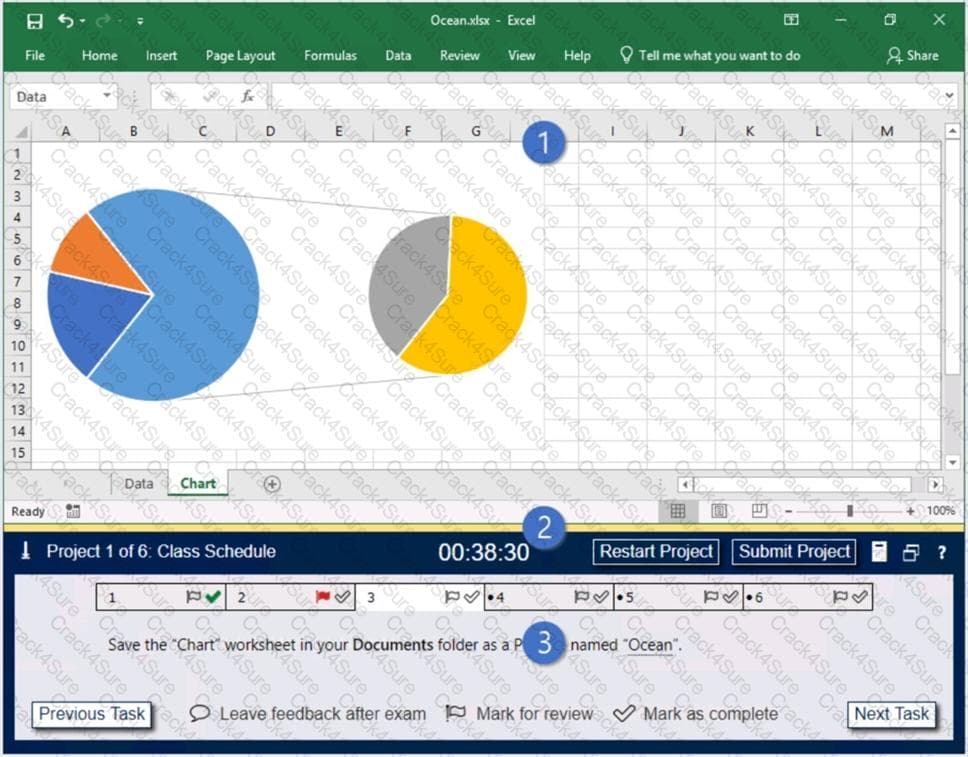
The exam panel provides access to the project task(s). Each project has an associated file in which you will perform the project tasks.
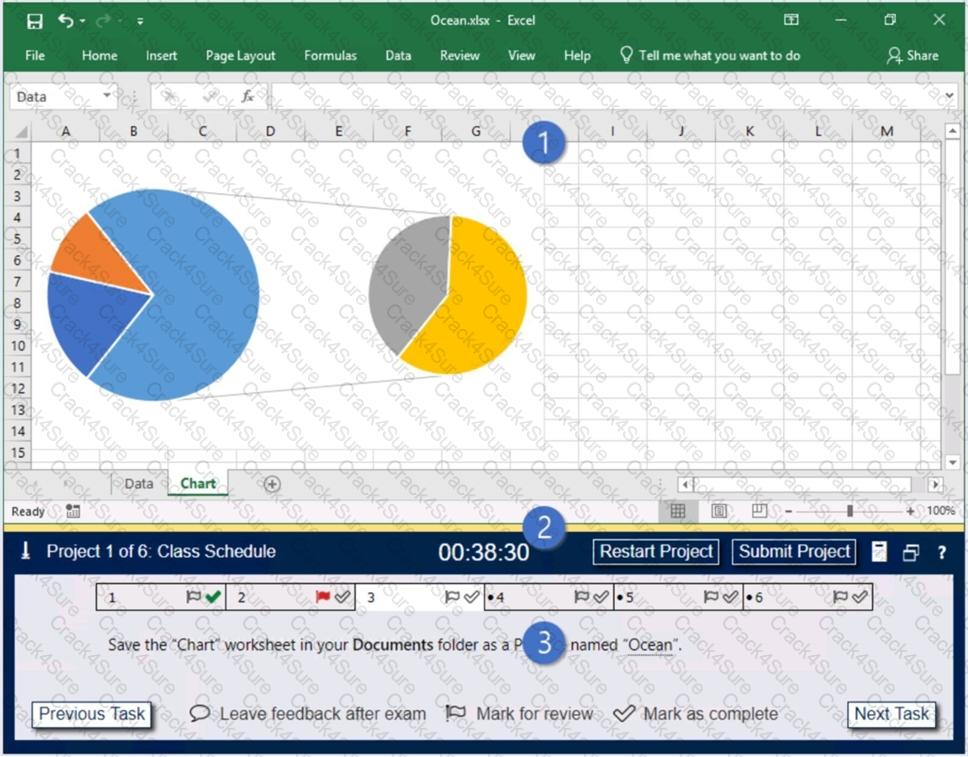
1. Project file
2. Split bar
3. Exam panel
You can modify the exam interface to fit your needs in the following ways:
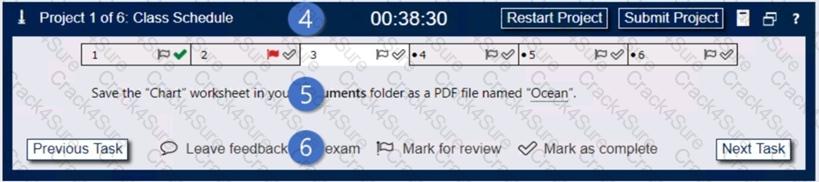
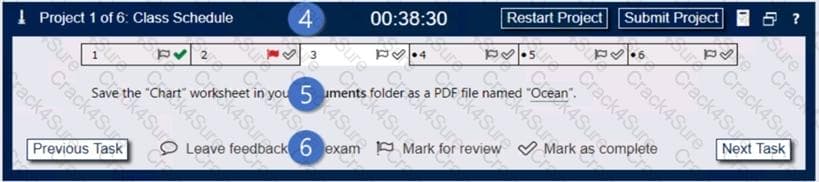
4. The Information bar at the top of the exam panel displays the current project and total number of projects, the remaining exam time, and the following commands:
5. The Content area displays the task tabs and the current task description.
6. The Navigation area at the bottom of the exam panel contains the following commands.
In projects that contain multiple tasks, you can switch between tasks by clicking the task tab, Next Task button, or Previous Task button.
End of the instructions.
On the “Year-to-Date Sales” worksheet, in cells L5:L15, enter a formula that returns the average “Total Sales” for the region in cell J5 and the “Representative” in cell K5.
Instructions
Exam Environment
Exam Interface and Controls
The exam panel provides access to the project task(s). Each project has an associated file in which you will perform the project tasks.
1. Project file
2. Split bar
3. Exam panel
You can modify the exam interface to fit your needs in the following ways:
4. The Information bar at the top of the exam panel displays the current project and total number of projects, the remaining exam time, and the following commands:
5. The Content area displays the task tabs and the current task description.
6. The Navigation area at the bottom of the exam panel contains the following commands.
In projects that contain multiple tasks, you can switch between tasks by clicking the task tab, Next Task button, or Previous Task button.
End of the instructions.
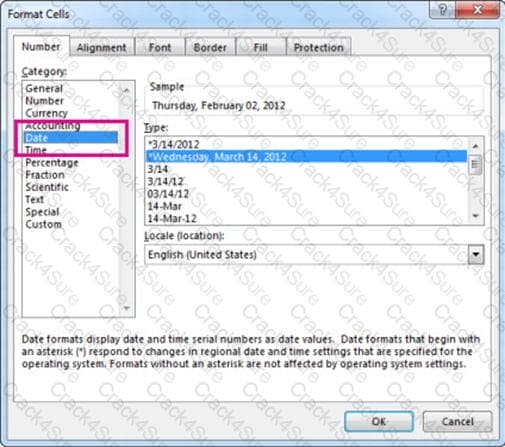
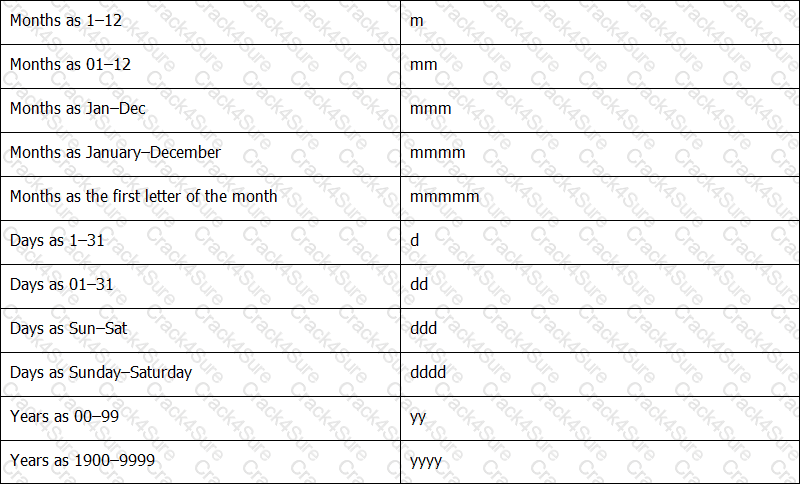
On the “New Titles” worksheet, for cells E4:E24, create and apply a custom number format that displays the dates in the format “2020 January 01”.
3 Months Free Update
3 Months Free Update
3 Months Free Update



TESTED 08 Oct 2026